A contracting officer or a prime’s capture lead lands on your website to size you up. They have about thirty seconds. If they cannot find your NAICS codes, your identifiers, and proof that you have done the work, they move on to the next vendor.
Your website is often the first real test of whether you look ready for federal work. A clean, complete site builds trust. A thin or confusing one quietly costs you teaming invites and short-list spots.
This government contractor website checklist walks through the exact pages and details that federal buyers and primes look for, where to put your NAICS, UEI, and CAGE, and the mistakes that make you look new.
What Should a Government Contractor Website Include?
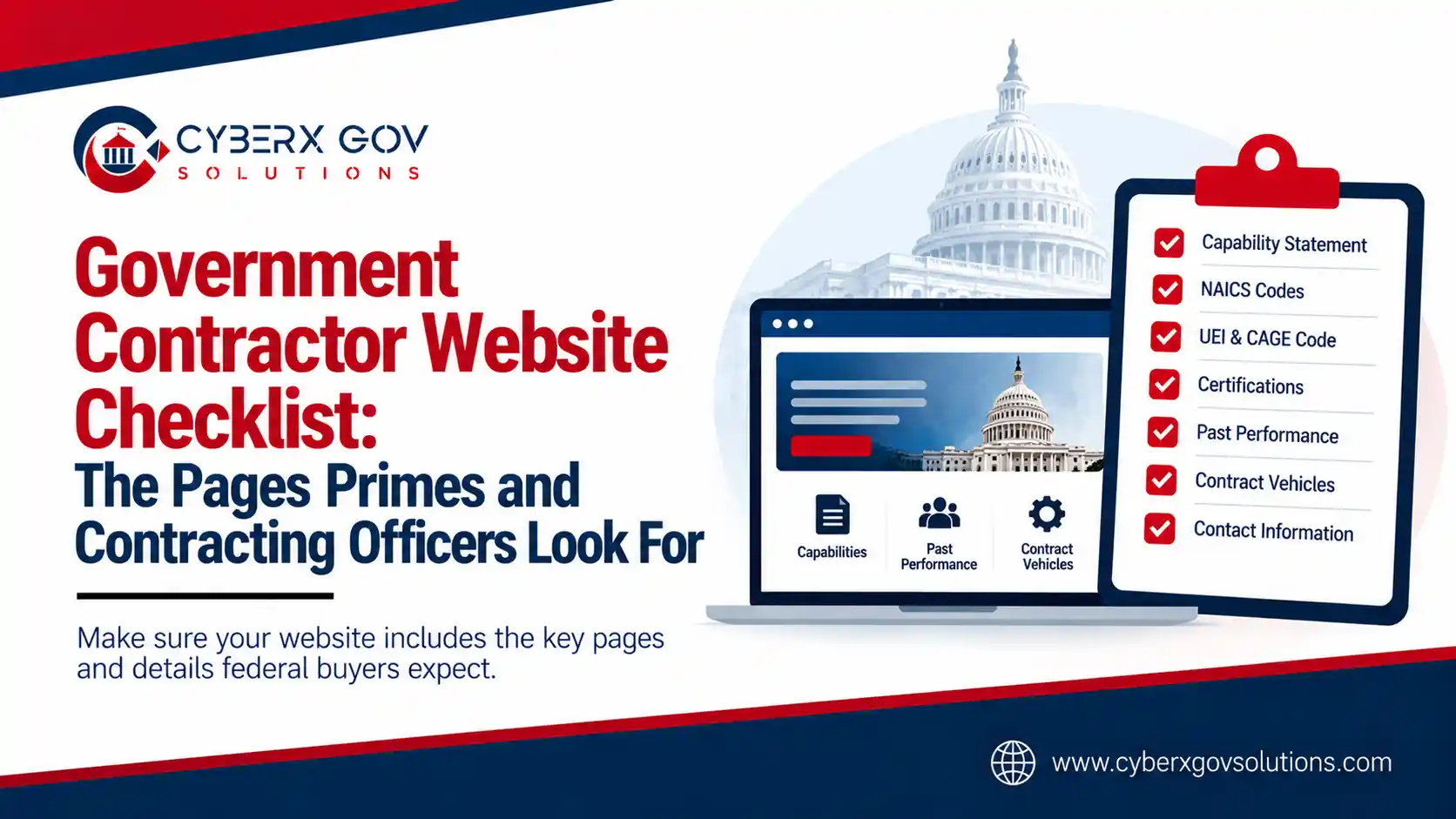
At a minimum, a federal-ready website should make these items easy to find:
- A clear capability statement, on the page and as a download
- Your NAICS codes and core services
- Your identifiers: UEI and CAGE code
- Certifications and small business set-aside status
- Past performance or relevant project experience
- Contract vehicles you hold or can use
- A named point of contact and a simple way to reach them
Think of the site as a trust-builder for a skeptical buyer. Every item above answers a question a contracting officer or prime is already asking.
The Must-Have Pages
A GovCon website does not need to be large. It needs to be clear and complete. These are the pages that carry the weight.
Capability Statement
This is the heart of a federal-facing site. A capability statement is a short profile that sums up who you are, what you do, and why you can be trusted with the work.
Put the key points on a web page so search engines and buyers can read them. Also offer a one-page PDF download, since many contracting officers still want a file they can save and share.
Past Performance
Buyers trust proof more than promises. A past performance or projects page shows the work you have done, the agencies or primes you served, and the results you delivered.
If you are new and light on federal past performance, commercial work still helps. Show relevant projects and the outcomes that matter.
Certifications and Set-Aside Status
If you hold a small business designation, show it clearly. This includes 8(a), HUBZone, Women-Owned Small Business, or Service-Disabled Veteran-Owned Small Business status.
These set-asides are a major reason a prime or agency reaches out, so do not bury them. A buyer scanning for a specific socioeconomic category should spot yours in seconds.
Contract Vehicles
List any contract vehicles you hold or can access, such as a GSA Schedule, a GWAC, or an agency IDIQ. Vehicles tell a buyer how they can actually work with you, which makes you easier to pick.
If you do not hold a vehicle yet, you can still note the ones you are pursuing or can reach through a teaming partner.
Contact and Point of Contact
Name a real person. A generic form with no human attached slows everything down. List a point of contact, a direct email, and a phone number so a captured lead can reach you before the deadline.
Where to Show Your NAICS Codes, UEI, and CAGE Code
These identifiers are how the federal market finds and verifies you. Make them easy to locate.
- NAICS codes: List your primary and relevant secondary NAICS codes on your capability statement and your services or about page. They tell buyers which industries you serve.
- UEI (Unique Entity Identifier): The 12-character code that replaced the DUNS number on April 4, 2022, is now issued by GSA through gov. Show it with your company facts.
- CAGE code: The 5-character code assigned by the Defense Logistics Agency, which you receive after your gov registration is approved. Display it alongside your UEI.
A simple “Quick Facts” box in the footer or on the capability statement works well. Group your UEI, CAGE, NAICS codes, certifications, and point of contact in one place so a buyer can scan fast.
Should You List Your CAGE Code and UEI on Your Website?
Yes. These are public identifiers, not secrets.
Your UEI and CAGE already appear in your public SAM.gov profile, and your identifiers show up on public award records at USASpending.gov. The CAGE code is even searchable in DLA’s public CAGE system. Listing them on your site does not expose anything sensitive.
What it does is make you easy to verify. When a contracting officer or prime can confirm your UEI and CAGE in a second, you look established and ready. Leaving them off just adds friction and makes a buyer work harder to trust you.
What Primes and Contracting Officers Actually Look For
Put yourself in the buyer’s seat. A prime building a team or a contracting officer doing market research is scanning for a few fast signals.
They want to confirm you are real and registered, which your UEI and CAGE do at a glance. They want to see your NAICS codes match the work. They look for set-aside status that fits a goal they need to hit. And they want proof, in the form of past performance, that you can deliver.
The sites that win attention answer those questions above the fold and in plain language. The ones that lose attention hide the facts behind vague marketing copy.
Here is how it plays out. A prime needs a HUBZone subcontractor in a specific NAICS code before a bid deadline. They open two candidate sites. One shows HUBZone status, the matching NAICS code, a UEI, and a named contact in a clean facts box. The other buries its services in a slider and lists only a contact form. The prime emails the first firm and never scrolls the second. Same capability, very different outcome, decided by the website alone.
Common GovCon Website Mistakes
A few patterns make a contractor look unprepared.
The first is no capability statement, or one that is hard to find. If a buyer cannot grab your one-pager in two clicks, you have lost them.
The second is missing identifiers. A site with no UEI, CAGE, or NAICS looks either new or careless, and both raise doubt.
The third is commercial marketing with no federal focus. Generic “we deliver excellence” copy tells a contracting officer nothing. Speak to agencies, vehicles, and past performance instead.
The fourth is a dead contact path. A form that goes nowhere, or no named contact, kills momentum right when a buyer is ready to reach out.
Your Government Contractor Website Checklist
Use this quick checklist to grade your own site.
| Element | On your site? |
| Capability statement (page + PDF) | Yes / No |
| NAICS codes listed | Yes / No |
| UEI displayed | Yes / No |
| CAGE code displayed | Yes / No |
| Certifications and set-aside status | Yes / No |
| Past performance or projects | Yes / No |
| Contract vehicles | Yes / No |
| Named point of contact | Yes / No |
If you answered “No” to more than two of these, your site is leaving trust and opportunities on the table.
How CyberX Gov Solutions Can Help
A federal-ready website is a specific craft. It has to speak to agencies and primes, surface the right identifiers, and still rank and load well.
CyberX Gov Solutions builds websites made for government contractors, with your capability statement, NAICS codes, certifications, and contract vehicles structured the way federal buyers expect. We also run a free GovCon website audit that scores your current site against the checklist above and shows you exactly what to fix.
The goal is simple: turn your website into a tool that wins trust and teaming invites, not one that quietly turns buyers away.
Conclusion
Your website is doing business development whether you manage it or not. For a prime or a contracting officer, it is the first proof that you are ready for federal work.
Cover the essentials: a clear capability statement, your NAICS codes, your UEI and CAGE, your certifications, your past performance, and a real point of contact. Make them easy to find, and you make yourself easy to trust.
Want to know how your site measures up?
Get a free GovCon website audit from the CyberX Gov Solutions team and see exactly what to fix.
Get My Free Website Audit →Frequently Asked Questions
Do I need a website to win government contracts?
You can win contracts without one, but a website makes you far easier to trust and verify. Primes and contracting officers often check your site before a teaming invite or a market research decision, so a weak or missing site costs you opportunities.
What is a UEI number?
The Unique Entity Identifier is a 12-character code that identifies your business for federal awards. It was replaced the DUNS number on April 4, 2022, and is issued by GSA when you register in SAM.gov.
Where do I find my CAGE code?
Your CAGE code is assigned by the Defense Logistics Agency after your SAM.gov registration is approved. It appears in your SAM.gov entity profile and is searchable in DLA’s public CAGE system.
How long should a capability statement be?
Keep the core version to one page, so a buyer can scan it fast and save the PDF. You can expand on the details across your website, but the downloadable one-pager should stay short and focused.
Do government contractor websites need to be accessible?
Your own marketing site is not bound by Section 508 the way a federal agency’s systems are. Still, an accessible, fast, mobile-friendly site signals professionalism and reaches more buyers, so it is worth doing well.
How often should I update my GovCon website?
Refresh it whenever your identifiers, certifications, vehicles, or past performance change. At a minimum, review it a few times a year so a buyer never finds outdated information.